Why “micro-touchpoints” are the new battleground in hospitality
In hospitality, big decisions (renovations, brand standards, room mix) take months. But the guest’s perception is often shaped by small moments: finding the hotel entrance at night, getting a room key after a delayed flight, ordering breakfast without confusion, or asking for late checkout. These moments are “micro-touchpoints”—tiny interactions that either feel effortless or frustrating.
Hotels and restaurants are increasingly choosing between three practical approaches to manage these touchpoints:
- QR code flows (scan for menus, check-in, upsells, service requests)
- NFC tap experiences (tap-to-connect, tap-to-pay, tap-to-open info pages)
- Human-forward hosting (concierge-style service, roving ambassadors, host-led ordering)
This comparison breaks down where each approach shines, where it fails, and how to combine them into a guest journey that feels modern without feeling cold.
Option 1: QR code experiences (scan-first journeys)
What it is
QR codes act like “doorways” to digital experiences: room service ordering, spa booking, event schedules, property maps, waitlists, feedback forms, and more. Many hotels now place QR codes in-room, at front desks, at poolside tables, and on key sleeves.
Best use cases
- Menus and ordering: Pool bar menus, in-room dining, lobby café grab-and-go.
- Service requests: Extra towels, housekeeping timing, maintenance alerts.
- On-property wayfinding: Digital maps for resorts, parking instructions, meeting room directories.
- Post-stay feedback: Low-friction surveys while the stay is fresh.
Pros
- Low cost, fast to deploy: Print and place—no hardware needed.
- Easy to update: One link can reflect seasonal menus, hours, and promos.
- Operational efficiency: Can reduce call volume and “simple question” interruptions.
Cons (the real-world friction points)
- Scan fatigue: Guests may feel like every interaction requires a phone.
- Connectivity issues: Poor Wi-Fi or captive portals create dead ends.
- Accessibility gaps: Small print, low contrast, and non-localized pages frustrate many travelers.
- Trust and security concerns: Some guests worry about malicious QR codes in public areas.
Actionable tips to make QR work better
- Design the landing page for “3 taps or less”: If the guest can’t complete the task quickly, they’ll abandon it.
- Always provide a non-phone alternative: “Prefer not to scan? Call extension 0 or ask any team member.”
- Use clear labeling: “Scan to order drinks” is better than “Scan me.”
- Short URLs as backup: Include a simple URL under the code for guests who can’t scan.
Option 2: NFC taps (tap-to-connect, tap-to-pay, tap-to-anything)
What it is
NFC (Near Field Communication) lets guests tap their phone to a small embedded chip—often in a card, sticker, table tent, or discreet plaque—opening a web page, triggering an action, or sharing information. It’s the same underlying idea as contactless payments, but applied to guest experience.
Best use cases
- Instant Wi-Fi onboarding: “Tap to join Wi-Fi” can reduce front desk questions.
- High-end F&B and lounges: Tap to see tasting notes, cocktail stories, or reserve a table.
- Events and meetings: Tap for agendas, speaker bios, room maps, and live updates.
- In-room “smart guide”: Tap by the desk for hotel directory, local recs, and checkout info.
Pros
- Lower friction than QR: Tapping often feels faster and more “magical,” especially for repeat actions.
- More premium perception: Guests associate tap experiences with modern, high-trust tech.
- Durable and discreet: NFC tags can be embedded into signage without visual clutter.
Cons (what operators learn after rollout)
- Device variability: Most modern phones support NFC, but not everyone knows how to tap (or where).
- Physical placement matters: Poorly positioned tags can fail or confuse guests.
- Still requires a well-built landing page: NFC isn’t a strategy; it’s a shortcut to your digital experience.
Actionable tips to make NFC successful
- Pair NFC with a QR code: Give guests both options in one sign: “Tap or scan.”
- Train staff on the “15-second demo”: A quick show-and-tell at check-in increases adoption dramatically.
- Use NFC for repeatable moments: Wi-Fi, property info, and loyalty enrollment get better ROI than one-off links.
Option 3: Human-forward hosting (the concierge comeback)
What it is
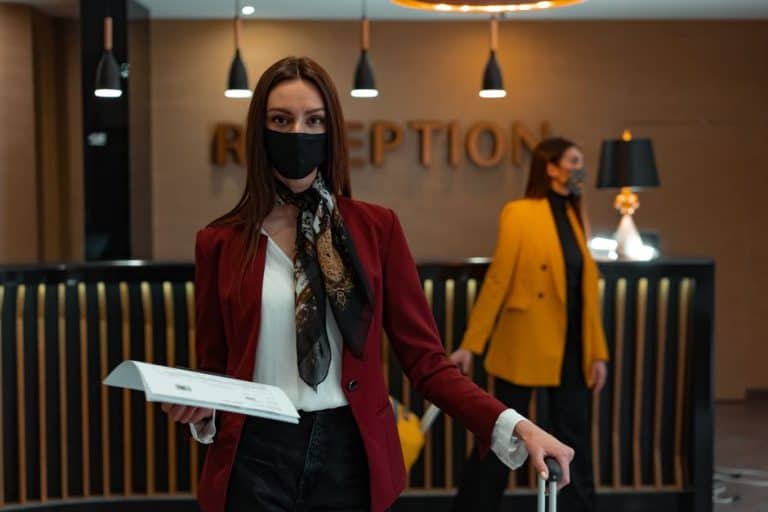
Human-forward hosting invests in visible, proactive service: greeters at the door, lobby “experience ambassadors,” host-led ordering in restaurants, and roving problem-solvers during peak times.
Best use cases
- Arrival and first impressions: A warm welcome after travel can reset a guest’s mood instantly.
- Complex needs: Accessibility requests, special occasions, room changes, family logistics.
- Luxury and boutique positioning: Personalization is the product, not an add-on.
- Service recovery: Humans de-escalate better than any app when something goes wrong.
Pros
- Emotional impact: People remember kindness, confidence, and competence.
- Better upsells when done right: A human can read cues and tailor recommendations.
- Fewer abandoned journeys: Guests don’t get stuck on a loading screen or a confusing form.
Cons (the operational reality)
- Higher labor costs: Staffing for peaks without overstaffing valleys is difficult.
- Consistency challenges: The experience depends on training, culture, and retention.
- Queue risk: A single bottleneck (front desk line, host stand) can erase the value of great service.
Actionable tips for scaling human service without burnout
- Create “roving roles” at peak moments: A lobby ambassador with a tablet can redirect, answer, and solve quickly.
- Write micro-scripts, not rigid scripts: Give staff a structure for greetings, handoffs, and solutions.
- Measure wait-time and resolution time: Track the minutes guests spend stuck, not just satisfaction scores.
Head-to-head comparison: where each approach wins
1) Speed and convenience
- NFC: Often the fastest when guests understand tapping.
- QR: Fast to access, but slower if camera recognition or connectivity is poor.
- Human hosting: Fast when staffing matches demand; slow when queues form.
2) Guest satisfaction and perceived care
- Human hosting: Highest ceiling for delight and emotional connection.
- NFC: Feels premium and seamless when implemented cleanly.
- QR: Can feel transactional if overused, but excellent when it removes friction.
3) Operational cost and maintainability
- QR: Lowest cost and easiest to update.
- NFC: Moderate cost; durable once deployed.
- Human hosting: Highest ongoing cost; requires continual training and scheduling finesse.
4) Upsell potential (without annoying guests)
- Human hosting: Best for nuanced upsells (anniversary dinner vs. generic “add breakfast”).
- QR/NFC: Strong for contextual add-ons (late checkout, cabana reservations) if the offer is timely and optional.
A practical hybrid model: “Human first, tech second” (with smart shortcuts)
The best guest journeys increasingly use tech to remove friction and humans to create meaning. One workable model looks like this:
- Arrival: Human greeting + optional digital check-in (QR/NFC) to reduce desk lines.
- In-room: NFC/QR for hotel directory and service requests; humans available for special requests.
- F&B: Human welcome and table touchpoints; QR/NFC for ordering when guests prefer speed.
- During the stay: Proactive human “check-ins” (in person or via messaging) when it matters most—first night, after an issue, or before departure.
- Checkout: Express options via tech, with an easy human fallback for billing questions.
Real-world examples of micro-touchpoints that move the needle
Example 1: Poolside service without the “where’s my server?” problem
Approach: QR on each lounger + a roving attendant who greets and explains it in 10 seconds.
Why it works: Guests who want speed order immediately; guests who prefer human service still feel cared for. The attendant becomes the “experience anchor,” not an order-taker trapped in loops.
Example 2: Meetings and events with constant schedule changes
Approach: NFC plaques outside meeting rooms linking to the live agenda and room changes.
Why it works: Attendees stop asking staff the same directional questions, and planners can update the agenda instantly without reprinting signage.
Example 3: Reducing front desk pressure at peak check-in
Approach: A lobby ambassador with a tablet + QR code for digital registration.
Why it works: The ambassador triages: quick check-ins go digital; complex cases go to the desk with context already gathered.
How to choose the right approach for your property (a quick decision checklist)
- If your guests skew international: Prioritize multi-language landing pages and ultra-simple flows.
- If you host conferences: Invest in NFC/QR for live event info and wayfinding.
- If your brand promise is luxury: Keep humans highly visible; use NFC/QR as invisible support, not the headline.
- If you’re labor-constrained: Use QR/NFC to offload repetitive tasks, then redeploy staff into proactive roles.
- If you often have Wi-Fi complaints: Fix Wi-Fi first—no digital touchpoint succeeds without solid connectivity.
Data and trend context: why guests expect choice
Guest behavior has shifted toward contactless and self-directed options, but not everyone wants the same journey. Some travelers love autonomy; others equate service with human attention. This is why offering choice (tap, scan, or ask) tends to outperform forcing a single channel.
For broader reporting on how dining and hospitality habits have evolved—including the continued role of digital ordering and changing service expectations—The New York Times coverage of restaurant and travel trends is a useful reference point for operators tracking consumer sentiment.
Common mistakes to avoid (no matter which option you choose)
- Dead-end experiences: Nothing frustrates a guest faster than scanning/tapping into a page that doesn’t load, isn’t mobile-friendly, or doesn’t answer the question.
- Over-automating emotional moments: Complaints, special occasions, and accessibility needs deserve a human response.
- Promoting tech without training: If staff can’t explain the system quickly, adoption stalls.
- Measuring the wrong things: Track completion rates (orders placed, requests submitted) and time-to-resolution—not just page views.
Conclusion: build a “frictionless” experience that still feels like hospitality
QR codes, NFC taps, and human-forward hosting aren’t mutually exclusive—they’re tools for different moments. QR is flexible and inexpensive, NFC feels premium and fast, and human hosting creates the emotional connection guests remember. The winning approach for most properties is a hybrid: let technology remove repetitive friction while empowering staff to deliver warmth, judgment, and recovery when it matters.
If you’re refining your guest journey at The Windsor, start with the top five micro-touchpoints that generate the most questions or delays (arrival, Wi-Fi, ordering, service requests, checkout). Then decide: should this moment be a tap, a scan, or a conversation? When those choices are intentional, guests feel both modern convenience and genuine care.