What is a “bleisure” stay, and why is it reshaping accommodation?
“Bleisure” blends business and leisure: guests arrive for work commitments (or remote work) and add personal time before or after. It’s reshaping accommodation because a growing share of travelers no longer separates a trip into strict categories. People might take a midweek video-call schedule, then explore the city over the weekend, all from the same room.
For properties like The Windsor—and for travelers choosing where to stay—bleisure matters because it changes what “value” looks like. Location still matters, but so do quiet zones, desk ergonomics, Wi‑Fi reliability, and flexible housekeeping. A room that supports deep work from 9–5 and comfort after hours wins repeat bookings.
How can guests quickly tell if a room is truly remote-work friendly?
Many listings claim “work-friendly,” but a few checks can separate marketing from reality:
- Desk + chair specifics: Look for photos showing a real desk (not a tiny console) and a chair with back support. If photos aren’t clear, message the property for details.
- Power placement: Ask if there are outlets within arm’s reach of the desk. If you need an extension cord to plug in, you’ll waste time and create clutter.
- Lighting: A desk near a window is ideal for daytime productivity and better video-call lighting. Ask if there’s a desk lamp for evenings.
- Noise profile: Request a room away from lifts, ice machines, and busy streets. For light sleepers, ask whether the room has double glazing.
- Wi‑Fi capacity: Don’t just ask “is Wi‑Fi free?” Ask whether video calls are stable at peak times.
Actionable tip: Send a short message before booking: “I’ll be working remotely and need stable video calls. Which room locations are quietest, and do you have measured Wi‑Fi speeds?” A quality property can answer confidently.
What are realistic Wi‑Fi targets for a working traveler?
Speed matters, but consistency matters more. As practical targets:
- Video calls (HD): Aim for at least 10–15 Mbps download and 5–10 Mbps upload with low latency.
- Large uploads (design files, backups): Upload speeds matter—ask for upload numbers, not only download.
- Multiple devices: If you’re using a laptop plus phone plus tablet, you’ll want extra headroom.
Real-world check: After arrival, run a speed test at the desk during a busy period (often 7–10pm). If it’s weak, politely ask if there’s a better access point or another room position with stronger coverage.
How do you set up an ergonomic workspace in a hotel room in under 5 minutes?
You can dramatically improve comfort with a quick “micro-setup,” even if the room wasn’t built for office work:
- Raise your screen: Stack a couple of books, the safe manual, or a folded towel under your laptop to bring the screen closer to eye level.
- Use an external keyboard/mouse (if possible): A compact travel keyboard and mouse can reduce neck strain and improve typing speed.
- Support your lower back: Roll a towel and place it behind your lumbar spine if the chair is flat.
- Control glare: Angle the desk or close sheer curtains to avoid harsh reflections on calls.
Example: Consultants on short engagements often travel with a foldable laptop stand (weighing ~200–300g). It can turn almost any desk into a workable setup for long sessions.
What room features best support “work mode” and “weekend mode” without changing rooms?
The strongest bleisure rooms are adaptable. Look for or request:
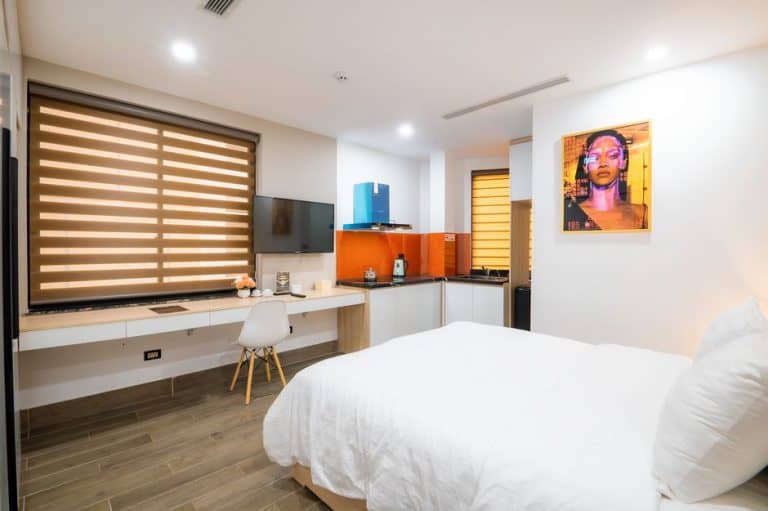
- Zoned layout: A clear separation between sleeping space and a work corner helps your brain “switch modes.”
- Layered lighting: Bright task lighting for work; warm ambient lighting for evenings.
- Blackout curtains: Crucial if you’re working across time zones or need a strong sleep routine.
- Good storage: A place to tuck the laptop away at the end of the day makes it easier to relax.
Actionable tip: If you’re staying 4+ nights, ask housekeeping for a quick mid-stay refresh that fits your schedule (e.g., “between 1–2pm only”). That reduces interruptions to your calls.
How should travelers negotiate flexible check-in/check-out for mixed work and leisure?
Flexible timing is one of the most valuable bleisure perks, especially when you have meetings on departure day. Here’s a simple approach:
- Ask early: Request late checkout immediately after booking, not the morning of departure.
- Offer a compromise: “If 2pm isn’t possible, could I have 12pm and store luggage until evening?”
- Use quiet leverage: Mention you’re extending into the weekend or booking multiple nights—longer stays can justify flexibility.
Example: If your last meeting ends at 1pm, even a one-hour extension reduces stress and helps you avoid working from a lobby or café with unstable connectivity.
What’s the smartest way to budget a bleisure trip without overspending?
Bleisure spending can creep up because you’re blending expense-account thinking with leisure splurges. Try this practical split-budget method:
- Define “work essentials”: Wi‑Fi reliability, quiet room location, desk comfort, proximity to meetings.
- Define “leisure upgrades”: balcony, view, spa access, premium minibar, or larger room category.
- Pick one upgrade: Choose a single leisure upgrade that will actually be used (e.g., a better room view if you’ll be in the room a lot; otherwise, skip it).
Data point to consider: Pricing can shift quickly due to events and demand spikes. Keeping an eye on travel and hospitality business updates can help you understand why rates move week to week; reputable outlets like Reuters travel and hospitality coverage often report on demand trends, airline capacity, and broader economic factors that influence accommodation prices.
Which “hidden friction” details most often ruin a work-and-weekend stay?
These are the small issues that can derail productivity or relaxation:
- Unclear HVAC controls: A room that’s too warm or too cold affects sleep quality and focus. Test the thermostat on arrival.
- Room echo on calls: Hard surfaces can create echo. Close curtains, place a towel on a side table, or use headphones to improve audio.
- In-room coffee timing: If you work early, check whether supplies are replenished daily and at what time housekeeping typically arrives.
- Inadequate bedside charging: If outlets are scarce, ask the front desk for an extra adapter or move a lamp plug to free an outlet.
Actionable tip: Do a “first 20 minutes” check: Wi‑Fi speed test, call audio test, outlet scan, and noise check. Fixing issues early is easier than after your first missed meeting.
How can a property create a better bleisure experience without major renovations?
You don’t need a full redesign to support remote work and weekend comfort. High-impact, low-disruption upgrades include:
- Wi‑Fi transparency: Publish typical in-room speeds and add access points where dead zones occur.
- Desk kit on request: Provide a small “work kit” (extension lead, desk lamp, phone stand, HDMI adapter) available from reception.
- Quiet-room labeling: Identify quieter room zones in the property management system so front desk teams can assign them to working guests.
- Call-friendly spaces: A small bookable nook or meeting pod can reduce guests taking calls in corridors or lobbies.
Example: Some boutique hotels have introduced “library hours” or designated quiet corners with stronger Wi‑Fi and abundant power outlets—small changes that significantly improve guest satisfaction for remote workers.
What are the best ways for guests to protect privacy and security when working from accommodation?
Remote work on the road comes with security risks. A few habits can reduce exposure:
- Use a VPN: Especially when handling sensitive documents or logging into business tools.
- Avoid shared computers: Use your own device for accounts and payments.
- Turn off casting and Bluetooth when not needed: Prevent accidental connections to nearby devices.
- Use a screen privacy filter (optional): Helpful if you plan to work in public spaces like the lobby.
Actionable tip: If your work involves confidential calls, ask whether the property has a small meeting room you can reserve for 30–60 minutes.
How do you design a “micro-itinerary” that balances productivity with local experiences?
A common bleisure mistake is trying to do too much and ending up enjoying none of it. Build a micro-itinerary:
- Pick one signature experience: A museum, a food market, a river walk, or a show—just one must-do.
- Use time blocks: For example: focused work 8:30–12:00, admin 1:00–3:00, local experience 4:00–7:00.
- Plan a “buffer hour”: Travel delays happen. A buffer protects both meetings and reservations.
Example: If you’re staying Friday to Sunday, treat Friday evening as light exploration (close to the property), then make Saturday your main outing day. That preserves energy for Monday’s return to routine.
Conclusion: What should readers remember when booking a true bleisure-ready stay?
The best bleisure stays feel effortless because the room supports deep work and genuine rest. Focus on fundamentals first—quiet, Wi‑Fi reliability, desk comfort, and flexible logistics—then choose one leisure upgrade that makes your downtime memorable. Whether you’re traveling for meetings, a remote-work reset, or a weekend extension, asking a few targeted questions before booking can turn an ordinary room into a high-performing base for both productivity and pleasure.
For properties, small operational improvements—clear Wi‑Fi standards, quiet-room assignments, and simple work kits—can deliver outsized returns in guest satisfaction. The “bleisure room” isn’t a fad; it’s a practical response to how modern travelers live and work.